
Table of Contents
Webhooks connect your Stripe account with Mautic so events can trigger actions in real-time.
Setting up a Webhook #
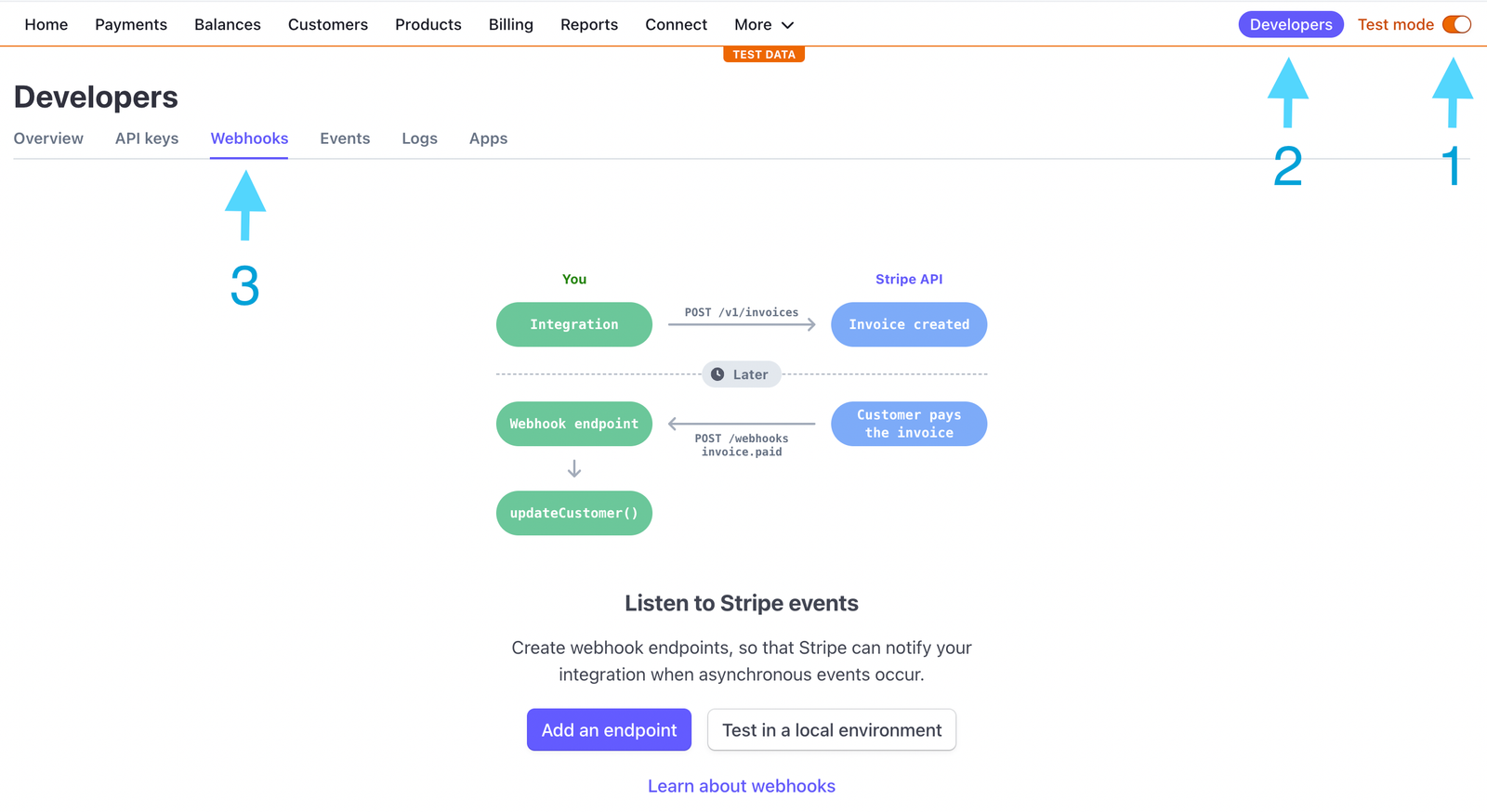
- Go to the Stripe Dashboard.
- Enable Test Mode so you can simulate payments without transferring funds.
- Navigate to Developers > Webhooks > Add Endpoint.
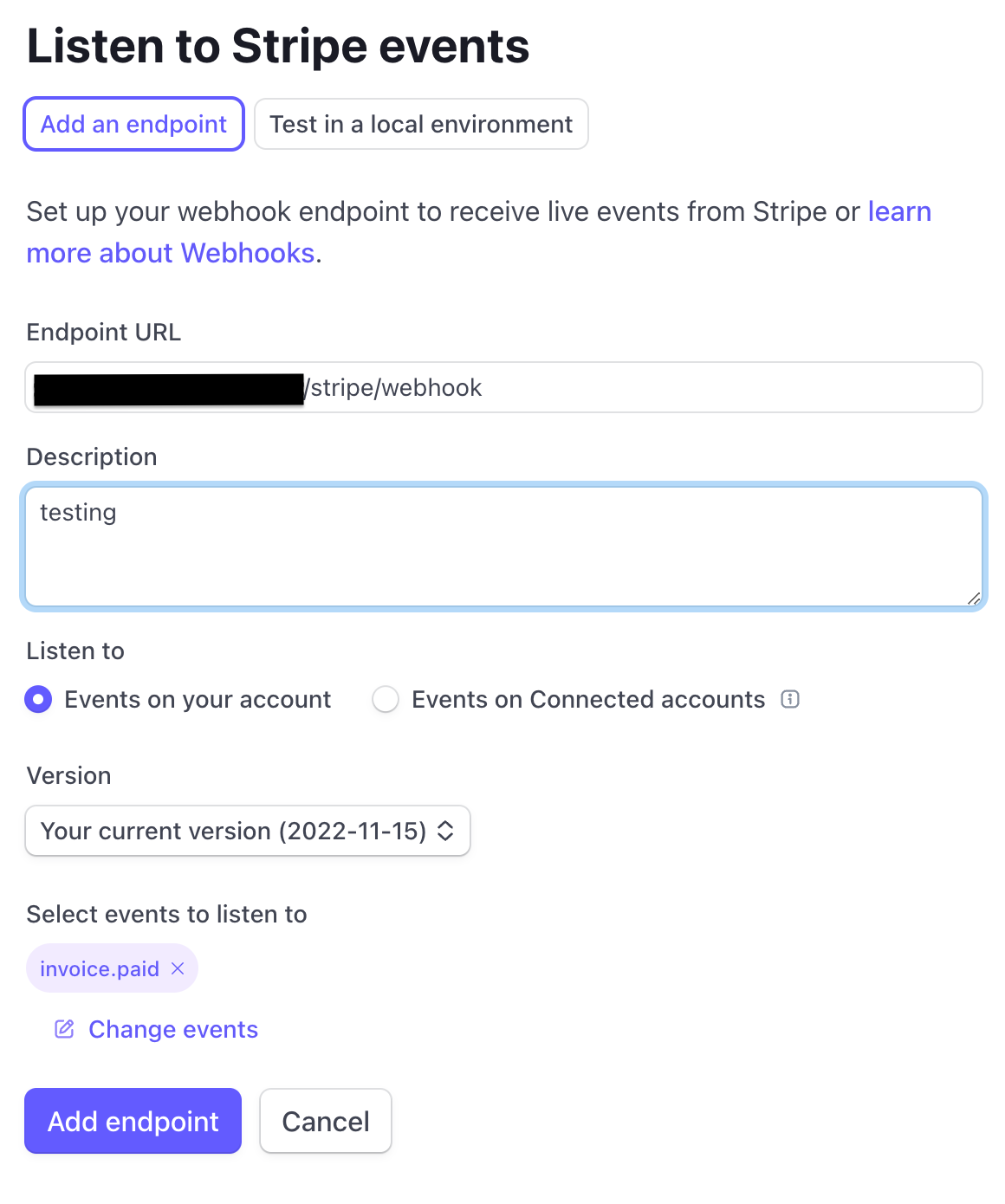
- Set the Endpoint URL as:
https://yourmautic.com/stripe/webhook - Under Listen to events, choose the ones you need (e.g.
invoice.paid).
Why use Test Mode? #
- Ensures your campaigns work correctly before real money is involved.
- Lets you simulate payments, subscriptions, and failed transactions.
Always confirm that your webhook endpoint is responding with HTTP 200 in Stripe logs.