
Table of Contents
The plugin provides several tokens that enable seamless integration of Stripe pricing tables, buy buttons, and invoice links into Mautic Landing Pages, Emails, and Builders.
Each token type includes clearly defined variables and real-world use cases, so that your documentation is comprehensive and intuitive.
Pricing Table Token #
Token format:
{stripe=pricingtable tableid=your_pricing_table_id key=your_public_key}
Example:
{stripe=pricingtable tableid=prctbl_1NrOQADr6Bz0HFJp5rYMy0sv key=pk_test_51NFhPoDe6Bz3jFroZhz2GfN3...}
What each value means
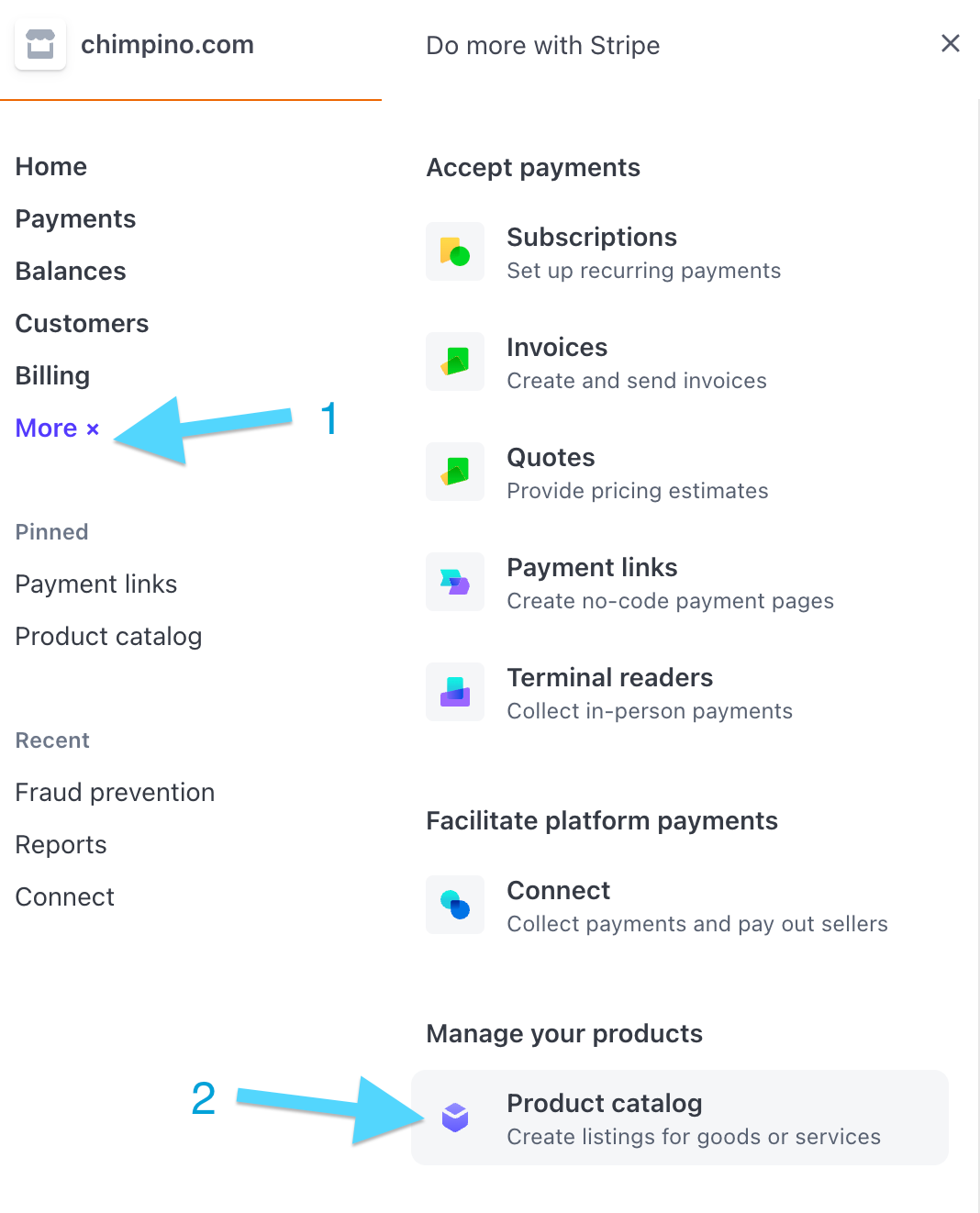
tableid: a unique identifier for your Stripe pricing table. Locate it by navigating to Stripe Dashboard > Product Catalog > Pricing Tables. Open a table and look in the HTML snippet or embed code – Stripe includes the ID (prctbl_…) there.
key: your Stripe Publishable Key. Found under Stripe Dashboard > Developers > API Keys. Use the key matching the mode you’re in (test or live).
Why this is important
- Mautic’s editor normally strips embedded HTML code from Stripe (e.g.,
<script>tags), making it unusable in landing pages. - These tokens solve that by providing a clean, safe way to embed pricing tables into pages.
Use cases
- Add a complete subscription or pricing layout inside a landing page, without coding.
- Showcase multiple products or tiers side by side.
- Provide customers with immediate access to Stripe Checkout flows.
Pricing Table Token #
Token format:
{stripe=buybutton buttonid=YOUR_BUTTON_ID key=YOUR_PUBLISHABLE_KEY}
Example:
{stripe=buybutton buttonid=buy_btn_1O2FuLDe6BP3HFJoDlpV9uIg key=pk_test_51NFhPoDe6Bz3jFroZhz2GfN3...}
What each value means
buttonid: the unique identifier for your Stripe Buy Button. Find it in Stripe Dashboard > Payment Links > Buy Button. The ID is embedded in the accompanying HTML code.

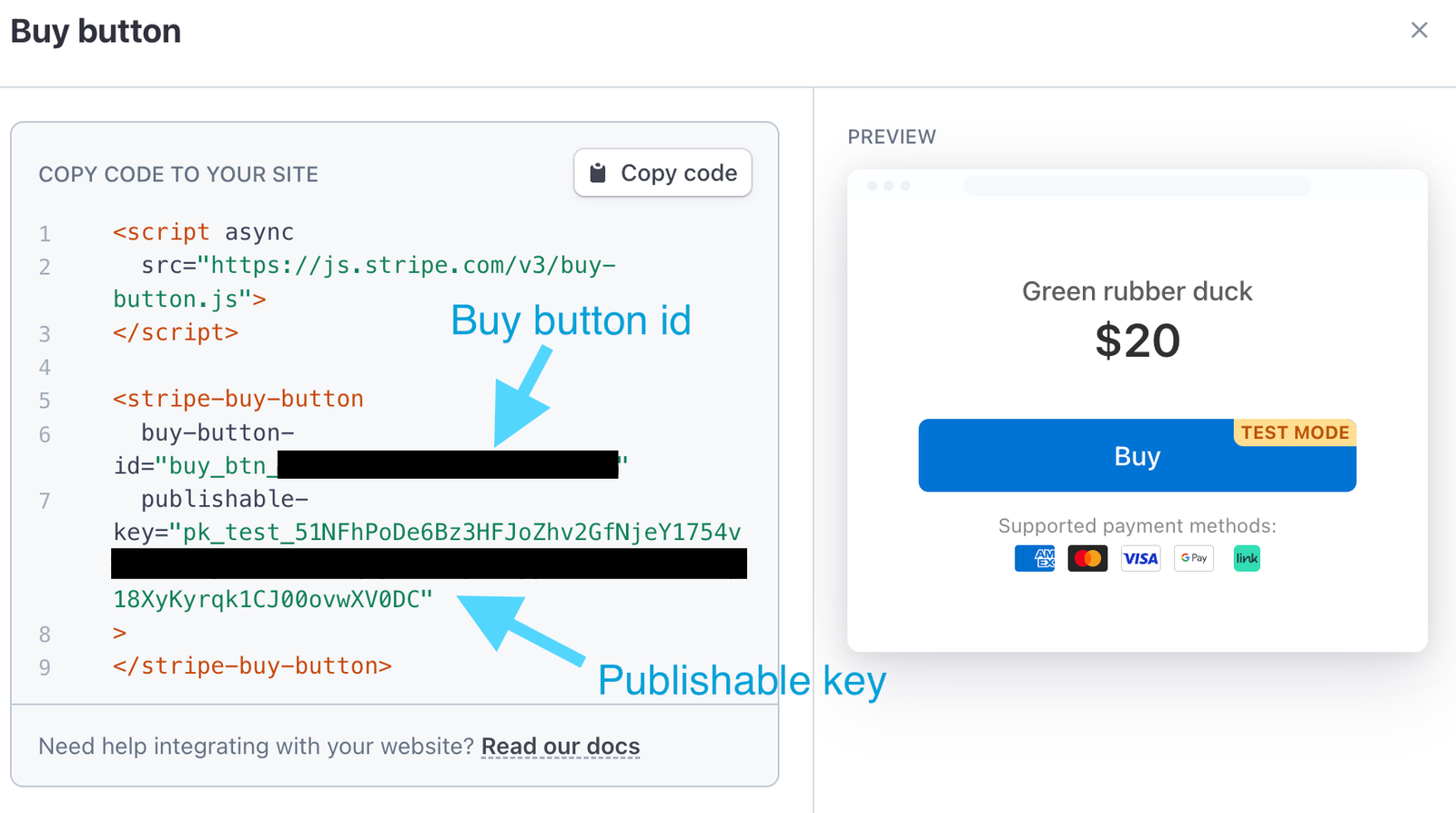
key: again, the Stripe Publishable Key, same as with pricing tables.
Why this is helpful
- Embeds a clean payment button for a single product.
- Works within Mautic without triggering HTML sanitisation issues.
Use cases
- One-product checkout landing pages.
- Quick purchase buttons inside emails or pop-ups.
- Upsell scenarios where customers click a single button to buy.